
JOURNAL · 18/05/2026
Green Screen Studio Guide: Setup, Tips, Rental in Da Nang
How to shoot on green screen in Da Nang: lighting and spill control, how much floor you need, what studio rental costs, and when a portable backdrop is enough.

What Is Green Screen and Why Use It?
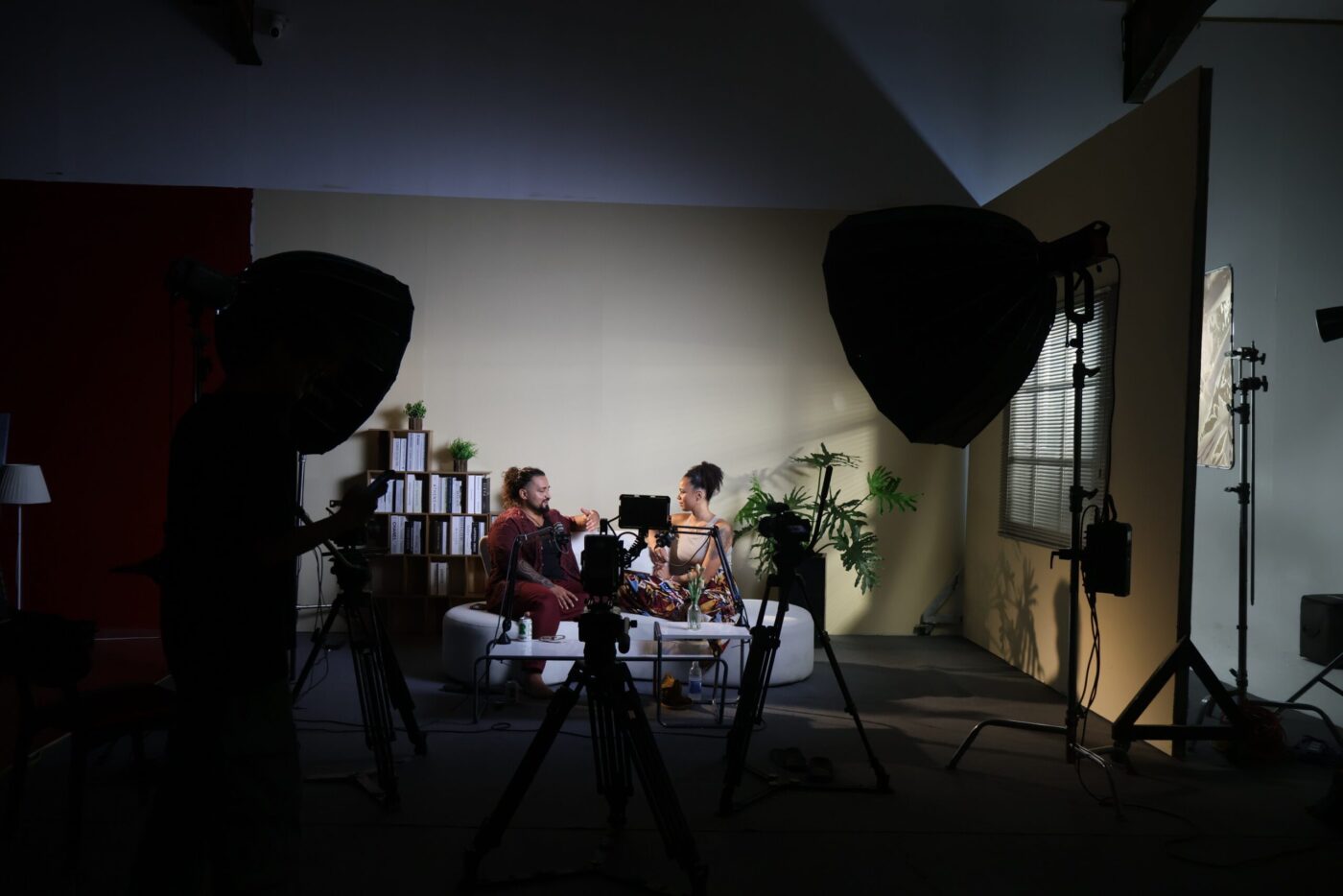
Green screen (chroma key) technology allows filmmakers to replace a solid-colored background with any virtual environment in post-production. It’s the backbone of modern visual effects, used in everything from Hollywood blockbusters to YouTube videos, TVC commercials, and virtual events.
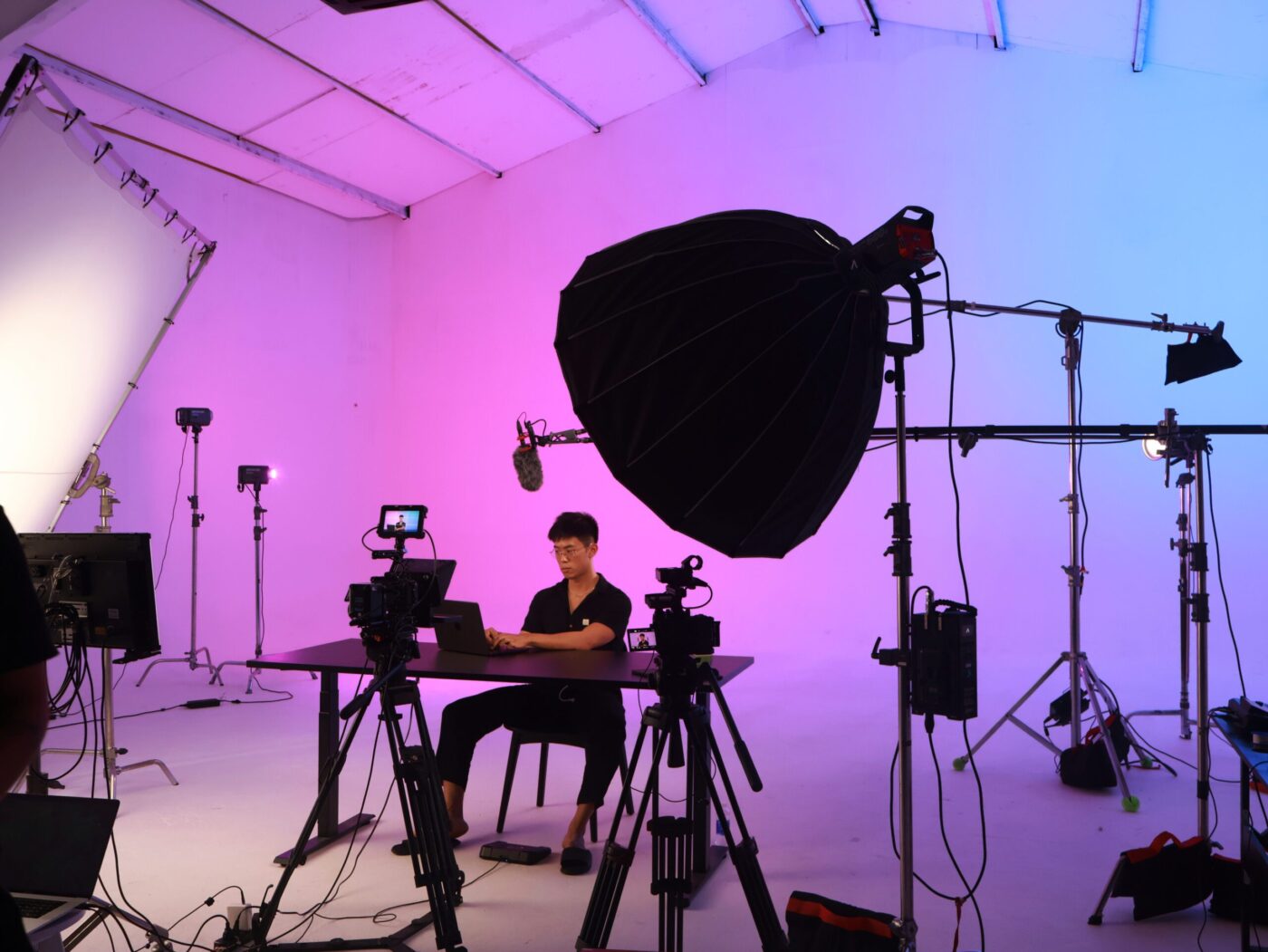
In Da Nang, CINEFY Studio offers a fully equipped green screen setup within our 360m² production space, making cyclorama-based chroma key work accessible to local and international productions alike.
When to Use Green Screen
- Virtual backgrounds: Place talent in any environment without traveling
- Product demos: Clean, isolated product shots with custom backgrounds
- TVC commercials: Fantasy or impossible environments for advertising
- Corporate presentations: Professional branded backgrounds for executives
- Live streaming: Real-time background replacement for events and podcasts
- Music videos: Creative visual effects and environment changes
- E-learning content: Consistent professional backgrounds for courses
CINEFY Green Screen Setup
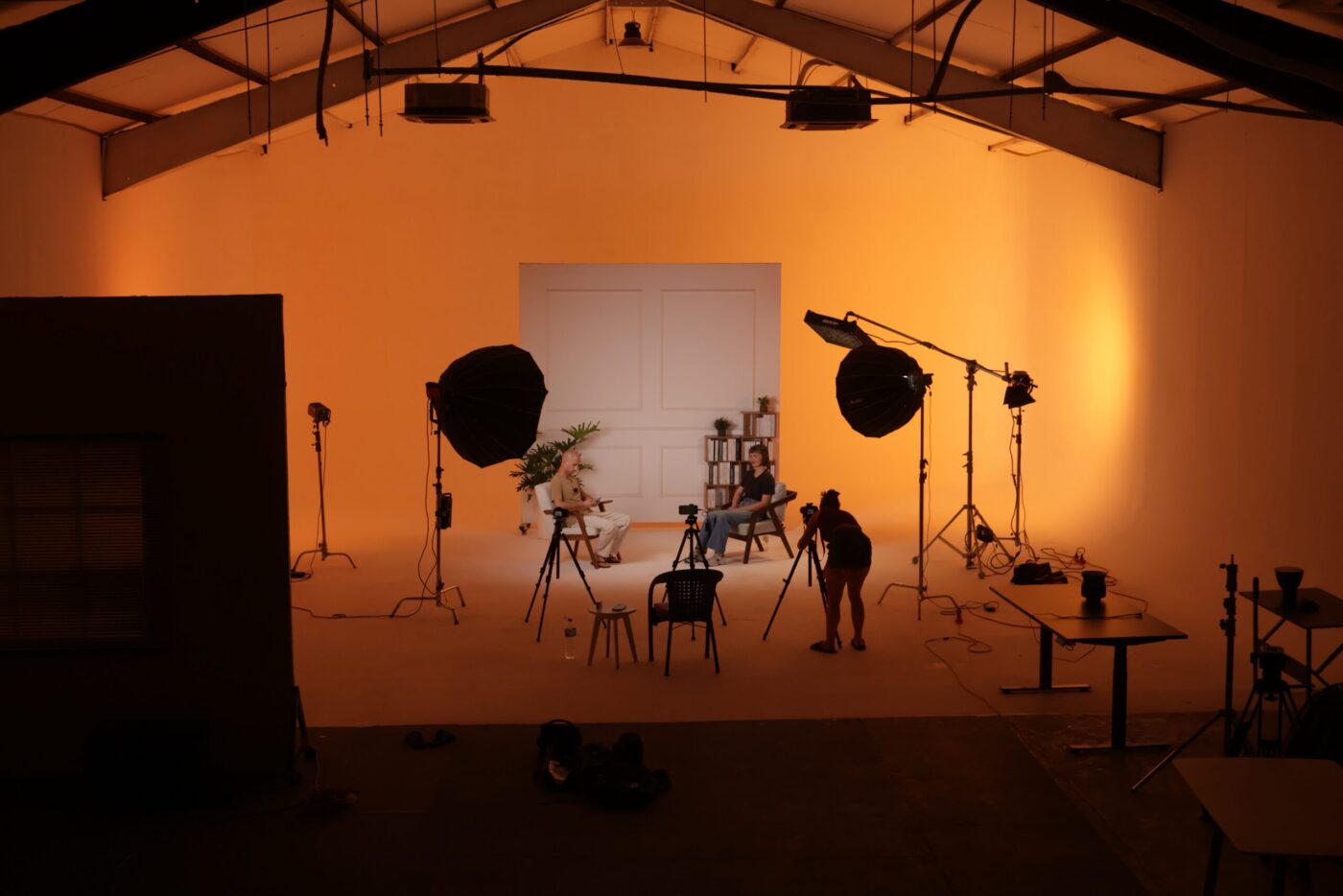
Our studio provides:
- Chroma green backdrop: Wrinkle-free muslin/paint, floor-to-ceiling coverage
- Cyclorama wall: Seamless curved wall-to-floor transition for clean edges
- Even lighting grid: Essential for consistent chroma key extraction
- 4K+ camera options: Higher resolution = cleaner key extraction
- Real-time preview: Monitor with basic chroma key preview during shooting
- 360m² total space: Enough room for full-body shots with movement
How to Shoot Green Screen: Step-by-Step
Step 1: Set Up the Green Screen
Ensure the green backdrop is wrinkle-free and evenly stretched. Any creases or folds create shadows that make keying difficult. At CINEFY, our permanent cyclorama wall eliminates this problem entirely.
Step 2: Light the Background Evenly
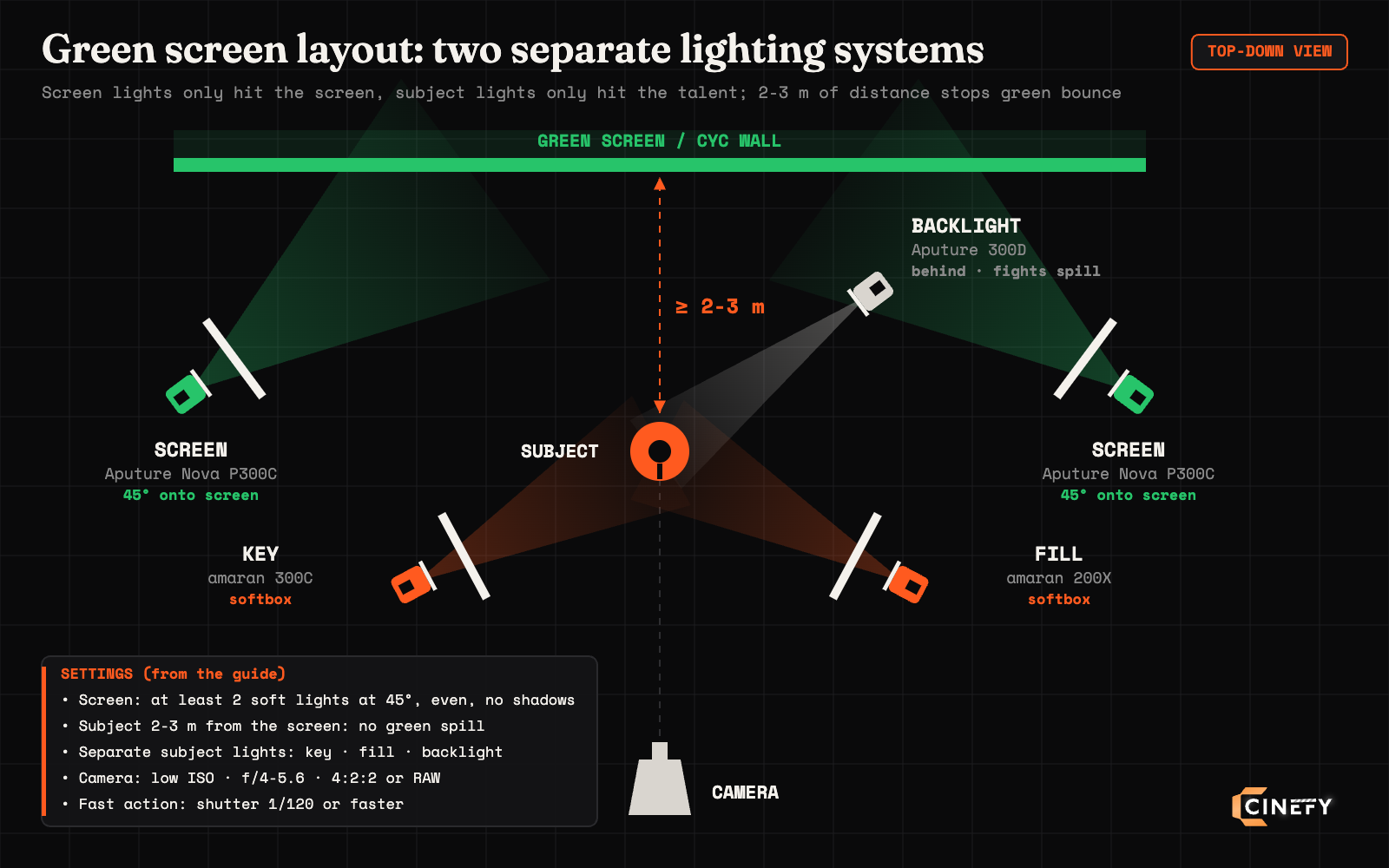
This is the most critical step. The green screen needs even, shadow-free illumination. Use at least 2 soft lights aimed at the backdrop from 45-degree angles. The goal is consistent brightness across the entire green surface.
Step 3: Light Your Subject Separately
Your talent needs their own lighting setup, completely independent from the background lights. Use standard three-point lighting: key light, fill light, and backlight. The backlight (hair light) is especially important to separate the subject from the green background.
Step 4: Maintain Distance
Keep at least 2-3 meters between your subject and the green screen. This prevents green light from bouncing onto the subject (called “green spill”), which makes keying much harder.
Step 5: Camera Settings
Shoot at the highest resolution and bit-depth your camera supports. Use a low ISO for minimal noise. Shoot at f/4-f/5.6 to keep the subject sharp while slightly softening the background. Record in 4:2:2 or RAW if possible: 4:2:0 compression makes keying noticeably harder.
Step 6: Post-Production Keying
Software options for chroma keying: DaVinci Resolve (free), Adobe After Effects (Keylight), Final Cut Pro, or dedicated tools like Boris FX Primatte. Start with a rough key, then refine edges, suppress spill, and composite your background.
Common Green Screen Mistakes
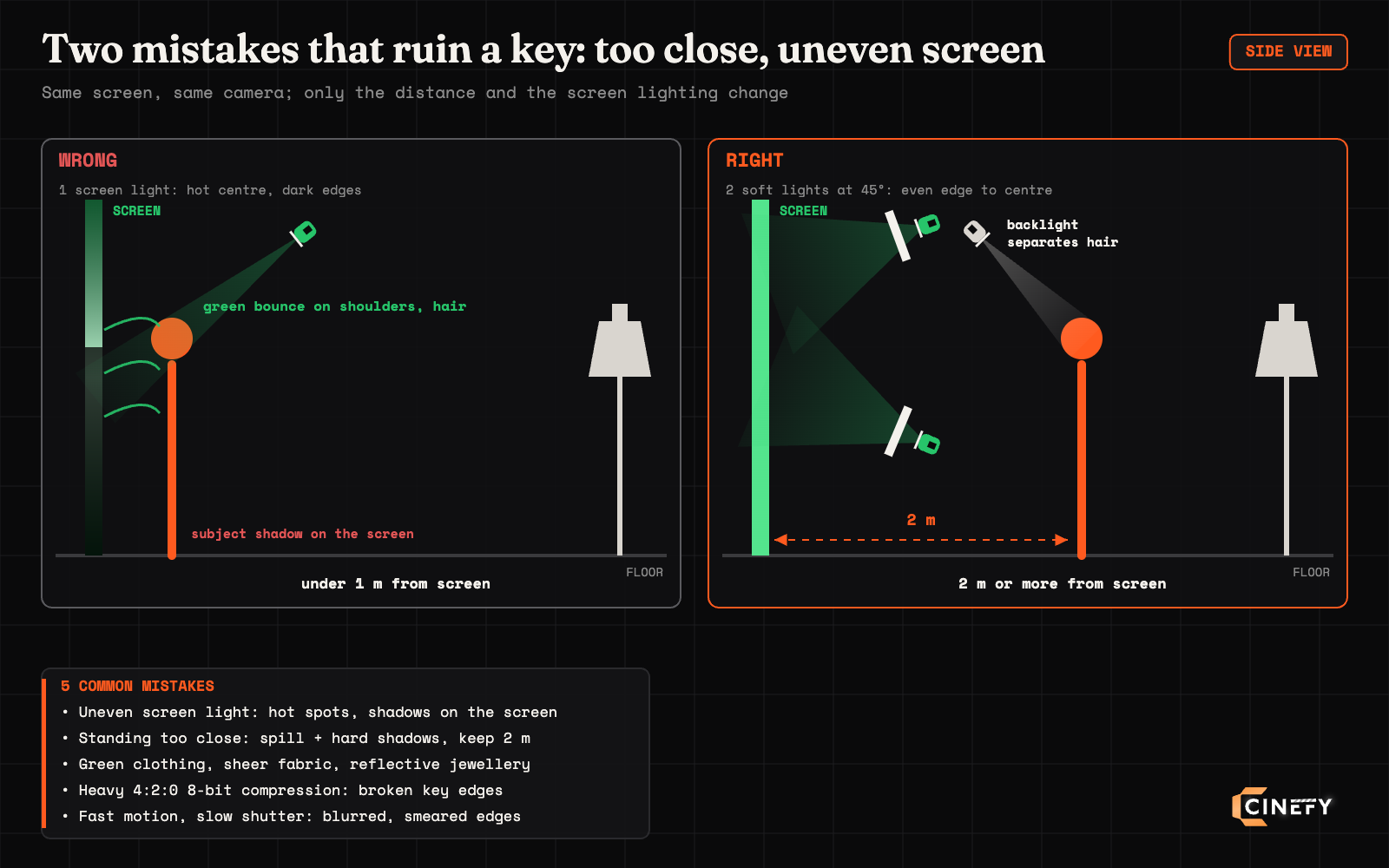
Uneven lighting: The #1 mistake. Hot spots or shadows on the green screen create keying nightmares. Invest time in even background lighting before rolling camera.
Subject too close: Standing right against the green screen causes spill and hard shadows. Minimum 2 meters distance.
Wrong clothing: Never wear green (or similar colors). Also avoid fine patterns, sheer fabrics, and highly reflective jewelry which can pick up green reflection.
Low-quality codec: Shooting in heavily compressed formats (4:2:0 8-bit) makes clean keying very difficult. Always shoot in the highest quality your camera allows.
Motion blur: Fast movement creates blurred edges that are hard to key. Use faster shutter speeds (1/120 or higher) for action scenes on green screen.
Green Screen vs. Cyclorama Wall vs. LED Volume
| Method | Best For | Cost Level | Availability at CINEFY |
|---|---|---|---|
| Green Screen | Post-production VFX, virtual backgrounds | $$ | Yes, included with studio rental |
| White Cyclorama | Clean product shots, interviews, lookbooks | $$ | Yes, permanent cyclorama wall |
| Black Backdrop | Dramatic lighting, concert-style looks | $ | Yes, available backdrop |
| LED Volume | Real-time virtual production, reflections | $$$$$ | Not yet, coming soon |
Frequently Asked Questions
Does CINEFY have a green screen studio in Da Nang?
Yes. CINEFY’s 360m² studio in Da Nang includes a green screen setup with cyclorama wall, even lighting grid, and all necessary grip equipment. The green screen is included in standard studio rental rates, no additional charge. Book your session at our studio rental page.
How much does green screen studio rental cost in Da Nang?
CINEFY studio rental with green screen access costs 600,000 VND for the first hour, then 495,000 VND/hour, and a 4-hour half-day block is 1,980,000 VND (the longer you book, the cheaper it gets). Studio rates are taken from the CINEFY studio rental page, checked on 22 September 2026, equipment rates from the 24 August 2026 rate card, and both exclude VAT 8%. Full-day rates and packages with equipment and crew are available. Contact us for custom quotes based on your production needs.
What equipment do I need for green screen filming?
You need: a 4K camera (minimum), at least 4 lights (2 for background, 2+ for subject), a tripod, and editing software with chroma key capability. For best results, use a camera that shoots 10-bit 4:2:2 or better. All equipment is available for rent from CINEFY.
Can I do green screen with a small budget?
Yes. A portable green screen backdrop (rents from 200,000 VND/day at CINEFY), two LED panels, and a modern mirrorless camera can produce surprisingly good results for social media and corporate content. For professional broadcast or TVC quality, a proper studio setup is recommended.
Related Articles
Book a Green Screen Studio
CINEFY Studio offers a green screen setup with lighting, cameras, and post-production support.
👉 Studio Details | Pricing | Book Now
Related Articles
Let’s make something cinematic.
★★★★★ 5.0 · 183 Google reviews · replies within 24h